
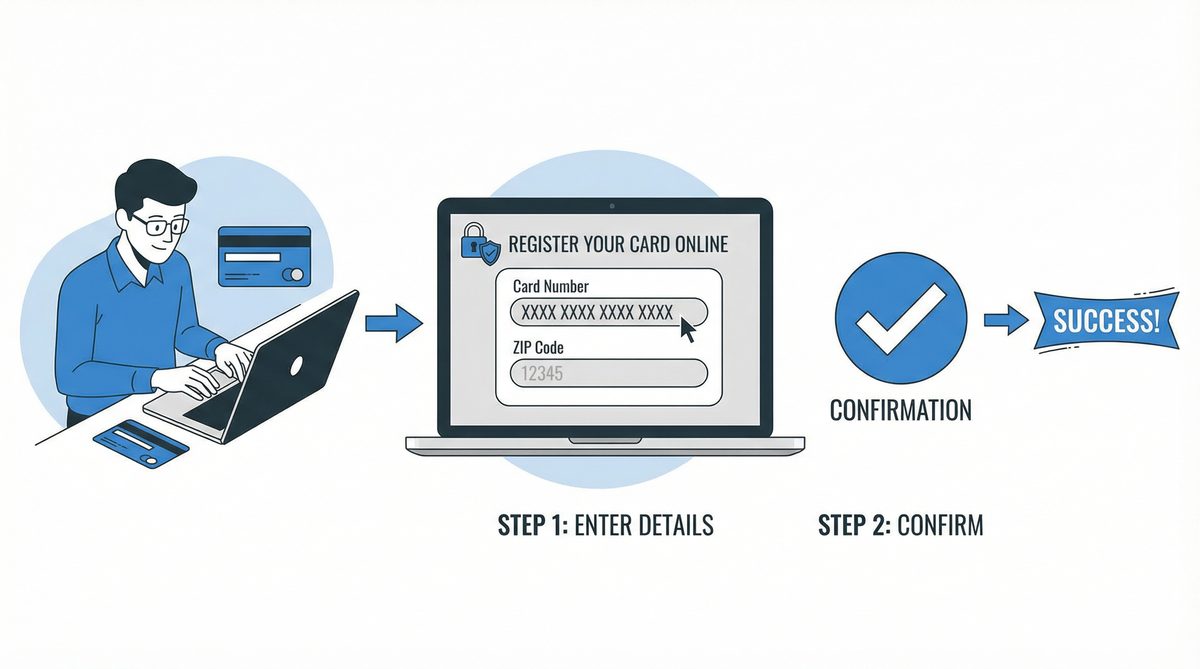
How to Register Your Vanilla Gift Card for Online Purchases: A Comprehensive Guide
In today's digital age, the convenience of online shopping is undeniable. Vanilla Gift Cards have emerged as a popular and versatile tool for both gifting and personal use, offering the freedom to shop at millions of online and brick-and-mortar stores. Whether you've received one as a thoughtful present or purchased one for yourself, you're holding a key to a world of possibilities. However, to unlock its full potential for online transactions, a crucial one-time step is often required: registration. This comprehensive guide will walk you through every aspect of registering your Vanilla Gift Card, ensuring a seamless and secure online shopping experience across the United States and Canada. We'll delve into the reasons why registration is so important, provide a detailed step-by-step walkthrough, offer troubleshooting tips, and answer the most frequently asked questions.
The Importance of Registering Your Vanilla Gift Card
You might be wondering why you can't just take your new Vanilla Gift Card and start shopping online immediately. While these cards are ready for in-store use right out of the package, online merchants have stricter security protocols. Registering your card bridges this gap. Here’s a deeper look at the primary benefits:
Bypassing Address Verification System (AVS) Declines
The most significant reason to register your card is to satisfy the Address Verification System (AVS). AVS is a fraud-prevention tool used by the vast majority of online retailers. When you make a purchase, the system checks if the billing address you provide at checkout matches the address associated with the payment card. A standard credit or debit card is linked to your home address through your bank. However, a new, unregistered gift card has no personal information tied to it. By registering your Vanilla Gift Card, you are assigning a specific billing address (your address) to the card. This allows the AVS check to pass successfully, preventing the frustration of a declined transaction even when you have sufficient funds.
Enhancing the Security of Your Funds
Registering your card provides an essential layer of security. In the unfortunate event that your card is lost or stolen, having it registered with your personal information can be a critical factor in the recovery process. It creates a record of ownership, which can help the card issuer verify your identity and, in many cases, issue a replacement card with the remaining balance. Without registration, it becomes significantly more difficult to prove the card belongs to you, and you risk losing the funds permanently.
Effortless Balance and Transaction Monitoring
Once your card is registered, you gain access to a user-friendly online portal. This portal is your command center for managing your gift card. You can log in anytime to check your current balance, review your complete transaction history, and see where your money is going. This feature is invaluable for budgeting, tracking your spending, and ensuring there are no unauthorized charges on your card. It transforms your gift card from a simple piece of plastic into a manageable financial tool.
A Detailed Step-by-Step Guide to Registration
The registration process is designed to be quick and intuitive. By following these detailed steps, you can have your card ready for online use in just a few minutes.
Step 1: Gather Your Card Information
Before you start, flip over your Vanilla Gift Card and locate the necessary details. You will need:
- The 16-digit Card Number: This is the primary identifier for your card, located on the front.
- The Expiration Date: Found on the front of the card, formatted as MM/YY.
- The CVV (Card Verification Value): This is the 3-digit security code found on the back of the card, usually near the signature strip.
Keep this information handy for the next steps.
Step 2: Navigate to the Correct Official Website
This is a critical step where accuracy matters. The specific website for your card is printed on the back. It is essential to type this URL directly into your browser's address bar. Avoid using search engines to find the site, as this can lead you to fraudulent "phishing" sites designed to steal your card information. For most cards in the United States, the official site is `https://www.vanillagift.com`. For cardholders in Canada, the URL may be different (e.g., `https://www.vanillaprepaid.com`). Always double-check the URL on your card.
Step 3: Find the Card Management Section
Once you land on the correct homepage, you'll need to manage your card. Look for prominent buttons or links such as "Check Balance," "Manage Your Card," or a login area. You will typically need to enter your 16-digit card number, expiration date, and CVV here to access the card's specific dashboard.
Step 4: Locate the Registration or ZIP/Postal Code Assignment Feature
After accessing your card's dashboard, look for an option to link your personal information. This may be explicitly labeled as "Register Card," but it is more commonly phrased as "Assign ZIP Code," "Add ZIP Code," or "Set Postal Code." This is the core of the registration process.
Step 5: Enter Your Billing Information
In this step, you will enter the billing address you want to associate with the card. This should be the same address you use for all your other online shopping accounts. Ensure you enter the information accurately, including your full name, street address, city, state/province, and ZIP/postal code. Accuracy is key to preventing AVS mismatches later.
Step 6: Confirmation and Completion
After you submit your address information, the system will process it, and you should see an on-screen confirmation message stating that your ZIP/postal code has been successfully assigned. That's it! Your Vanilla Gift Card is now fully registered and ready to be used for online purchases anywhere Visa or Mastercard are accepted.
Troubleshooting Common Online Purchase Issues
Even after registration, you might occasionally encounter a hiccup. Here’s how to troubleshoot the most common problems:
Problem: Transaction Declined Despite Sufficient Funds
- Solution 1: Verify Billing Address: The most common culprit is a mismatch between the billing address you entered at checkout and the one you registered to the card. Carefully review the address you provided to the merchant and ensure it is identical to the one on file with your gift card.
- Solution 2: Check Card Balance: Ensure the total purchase amount, including taxes and shipping, does not exceed your card's available balance. Some merchants may place a temporary pre-authorization hold that is slightly higher than the purchase price, so it's wise to have a small buffer.
- Solution 3: International Restrictions: Some Vanilla Gift Cards are restricted to use within the country of purchase (US or Canada). If you are trying to buy from an international merchant, your transaction may be declined. Check the cardholder agreement for details on international use.
Problem: Website Does Not Accept Prepaid Cards
While rare, some online services or subscription-based websites do not accept prepaid gift cards due to their policies. If your card is repeatedly declined at a specific merchant, this may be the reason. In this case, you will need to use an alternative payment method for that particular site.
Comparing Vanilla Gift Card Registration: USA vs. Canada
The registration experience is largely consistent for both American and Canadian users, but a few distinctions are worth noting.
| Aspect | United States | Canada |
|---|---|---|
| Primary Website | Typically `vanillagift.com` | Varies; check the back of your card (e.g., `vanillaprepaid.com`) |
| Address Verification Key | ZIP Code | Postal Code |
| Card Currency | US Dollar (USD) | Canadian Dollar (CAD) |
| Customer Service | Separate US-based customer service number. | Separate Canada-based customer service number. |
Frequently Asked Questions (FAQ)
- Do I absolutely have to register my card for online use?
- While you might find a few online merchants that don't use AVS, the vast majority do. Therefore, registration is highly recommended to ensure your online transactions are not declined. For in-store purchases where you physically swipe or insert the card, registration is not necessary.
- Is there any cost associated with registering my Vanilla Gift Card?
- No, the registration process is completely free. There are no fees for assigning a ZIP or postal code to your card.
- Can I change the address I registered to the card?
- Yes, in most cases, you can update the address associated with your card. Simply log back into the card management portal on the official website and look for an option to edit or update your profile or address information.
- How do I check the balance on my Vanilla Gift Card?
- The easiest way is to visit the official website listed on the back of your card and enter your card details in the "Check Balance" section. Alternatively, you can call the toll-free customer service number also printed on the back of the card.
- What should I do if my card is lost or stolen?
- If you have registered your card, contact customer service immediately. Provide them with your card number and the personal details you used for registration. They will guide you through the process of canceling the card and potentially issuing a replacement.
Conclusion: Shop Online with Confidence
Registering your Vanilla Gift Card is a simple yet powerful step that transforms your card into a versatile and secure tool for online shopping. By taking a few minutes to assign your address to your card, you can avoid the frustration of declined transactions, enhance the security of your funds, and easily manage your card's balance and history. Now that you're equipped with this knowledge, you can unlock the full potential of your Vanilla Gift Card and shop online with confidence and ease.