
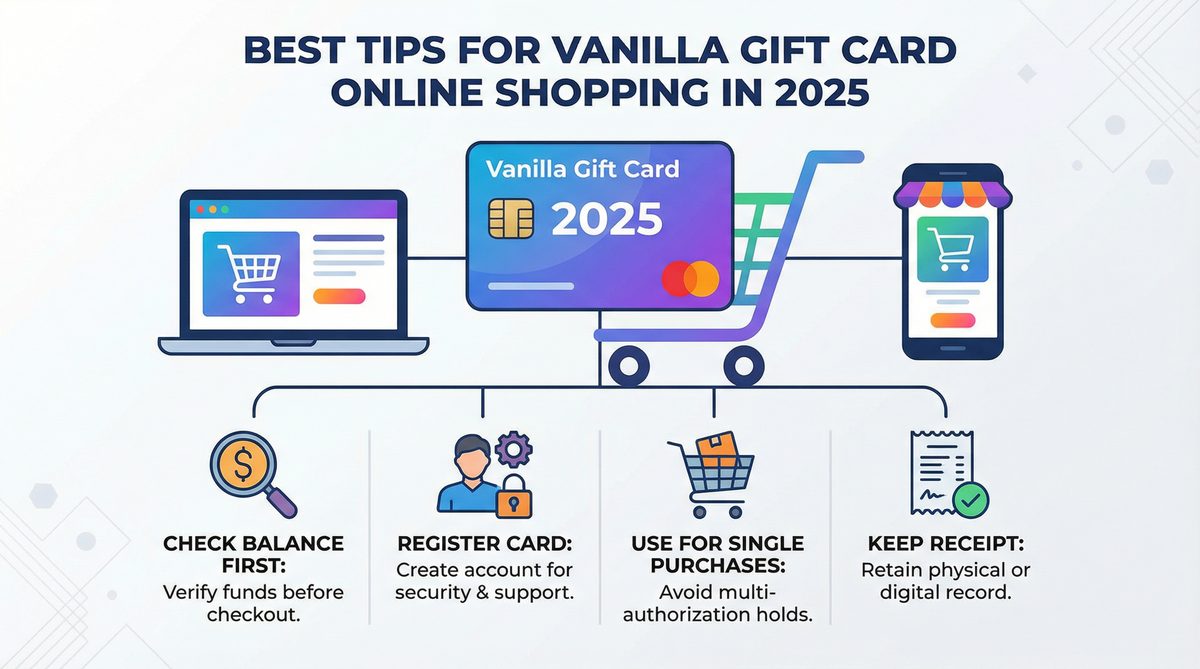
Vanilla Gift Card for Online Shopping - Best Tips and Tricks 2025
In the rapidly evolving landscape of digital commerce, online shopping has become an indispensable part of daily life for consumers across the United States and Canada. As we navigate 2025, the convenience and accessibility of purchasing goods and services from the comfort of our homes continue to grow. Amidst this digital transformation, Vanilla Gift Cards have emerged as a popular and versatile payment solution, offering a secure and straightforward way to manage online expenditures. These cards, often seen as a thoughtful present, also serve as a practical tool for budgeting and secure transactions. However, leveraging their full potential for online shopping requires a nuanced understanding of their functionalities and limitations. This comprehensive guide aims to equip you with the best tips, tricks, and troubleshooting advice to ensure a seamless and successful online shopping experience with your Vanilla Gift Card in 2025.
Understanding Vanilla Gift Cards
What is a Vanilla Gift Card?
Vanilla Gift Cards are prepaid debit cards, typically branded with either Visa or Mastercard logos, making them widely accepted wherever these major card networks are honored. Unlike traditional credit cards, Vanilla Gift Cards are pre-loaded with a specific amount of money, which can then be spent until the balance is depleted. They are not linked to a bank account, and generally, no personal information is required at the time of purchase, offering a degree of anonymity and security. This makes them an attractive option for those who prefer not to use their primary bank cards for online transactions or for individuals who wish to control their spending more rigorously.
Activation and Registration: The First Step to Online Shopping
Before a Vanilla Gift Card can be used for any transaction, especially online, it must be activated. This crucial step typically involves visiting the official Vanilla Gift website (e.g., vanillagift.com/activate) and entering the card details. Activation confirms the card\'s validity and prepares it for use. However, for online purchases, an additional, often overlooked, step is registering the card with a billing address and zip code. Many online merchants require a billing address to process transactions, primarily as a security measure to prevent fraud. If the card is not registered with an address that matches the one provided during an online checkout, the transaction is likely to be declined. This step is paramount for users in both the US and Canada, as it bridges the gap between the anonymous nature of the gift card and the security protocols of online retailers.
Best Tips for Using Your Vanilla Gift Card Online
1. Check Your Balance Before Every Purchase
One of the most common reasons for a declined transaction with a Vanilla Gift Card is insufficient funds. Before initiating any online purchase, it is imperative to check your card\'s balance. This can be easily done by visiting the Vanilla Gift website or by calling the toll-free number located on the back of your card. Knowing your exact balance ensures that your intended purchase does not exceed the available funds, thereby preventing frustrating declines and delays. A quick balance check can save you time and hassle, making your online shopping journey smoother.
2. Ensure Purchase Total is Less Than Card Balance
Vanilla Gift Cards are designed for straightforward transactions. Unlike credit or debit cards, many online payment systems are not equipped to easily handle split payments where a portion of the purchase is paid with a gift card and the remainder with another method. Therefore, a golden rule for using your Vanilla Gift Card online is to ensure the total cost of your purchase, including any shipping fees and taxes, is less than or equal to the card\'s remaining balance. If your desired item costs more than your card\'s balance, consider using the gift card for a smaller, exact purchase, or explore options to combine it with another payment method if the merchant explicitly supports it. A common workaround is to use the Vanilla Gift Card to purchase a digital gift card from the retailer you wish to buy from (e.g., an Amazon gift card), then use that retailer-specific gift card for your larger purchase.
3. Enter Billing Information Correctly
As mentioned earlier, registering your Vanilla Gift Card with a billing address and zip code is critical for online transactions. When making a purchase, you must enter the billing information exactly as it was registered with the card. Even a minor discrepancy, such as a misspelled street name or an incorrect zip code, can lead to a declined transaction. Double-check all details before confirming your purchase. This step is a frequent stumbling block for many users, and meticulous attention here can prevent numerous issues.
4. Understand Merchant Acceptance
While Vanilla Gift Cards carry the Visa or Mastercard logo, implying wide acceptance, it\'s important to understand that not all online merchants accept prepaid cards with the same ease as traditional credit or debit cards. Some retailers, due to their internal fraud prevention systems or specific payment gateway configurations, may decline transactions from prepaid cards. This is not a reflection of your card\'s validity but rather a merchant-specific policy. Always look for the Visa or Mastercard logos at checkout, but be prepared for the possibility that some merchants might still decline. If you encounter persistent issues with a particular merchant, consider the workaround of purchasing a retailer-specific gift card with your Vanilla Gift Card.
5. Consider Using for Digital Wallets or Specific Retailers
To enhance the usability of your Vanilla Gift Card online, consider integrating it with digital wallets or using it to purchase gift cards from specific retailers. Platforms like PayPal, Apple Pay, or Google Pay may allow you to add your Vanilla Gift Card, potentially streamlining the checkout process at various online stores. Furthermore, as highlighted earlier, using your Vanilla Gift Card to buy a gift card from a major online retailer like Amazon or Walmart can be an effective strategy. This allows you to consolidate the balance and often bypass some of the common issues associated with direct prepaid card use, especially for larger purchases or at merchants with stricter policies.
6. Dealing with Declined Transactions
Encountering a declined transaction can be frustrating, but understanding the common causes can help you troubleshoot effectively. The primary reasons include: insufficient funds, incorrect billing address/zip code, or the merchant not accepting prepaid cards. If funds are the issue, adjust your purchase or use a different payment method. If the address is incorrect, re-enter it carefully, ensuring it matches your registration. If a merchant consistently declines, try an alternative retailer or use the digital gift card workaround. Always keep a record of your card number and customer service contact information for further assistance if needed.
Common Problems and Troubleshooting
Transaction Declines
Beyond the tips mentioned above, let\'s delve deeper into transaction declines. Sometimes, a decline might occur even if you believe all information is correct and funds are sufficient. This could be due to a temporary authorization hold by the merchant that exceeds your current balance, or a system glitch. In such cases, waiting a few minutes and trying again, or contacting the merchant\'s customer service, might resolve the issue. It\'s also worth noting that some subscription services or recurring billing models may not accept Vanilla Gift Cards due to their non-reloadable nature.
Pending Transactions and Holds
When you make an online purchase, some merchants may place a temporary authorization hold on your card for an amount slightly higher than the purchase price. This is common in industries like hotels or car rentals, but can also occur with regular online retailers. These pending transactions temporarily reduce your available balance. The hold is usually released within a few business days, but it\'s important to be aware that your funds might be inaccessible during this period. Always monitor your card\'s transaction history to understand any pending charges.
Returns and Refunds
Returning an item purchased with a Vanilla Gift Card requires careful attention. If a refund is issued, it will typically be processed back to the original card. This means you must retain your physical Vanilla Gift Card until you are certain that all transactions are final and any potential refunds have been successfully credited. Once the refund is processed, the funds will be available on your card again. Losing the card before a refund is complete can complicate the process significantly, potentially leading to the loss of your refunded money.
Comparison: Vanilla Gift Card vs. Other Payment Methods for Online Shopping
To provide a clearer perspective, let\'s compare Vanilla Gift Cards with other popular payment methods for online shopping. This table highlights the features, benefits, and drawbacks of each, helping you decide when a Vanilla Gift Card is the most suitable option.
| Feature | Vanilla Gift Card | Credit Card | Debit Card | PayPal / Digital Wallets |
|---|---|---|---|---|
| Security | High (not linked to bank account, limited exposure) | Moderate (fraud protection, but linked to credit) | Moderate (linked directly to bank account) | High (tokenization, buyer protection) |
| Anonymity | High (no personal info at purchase) | Low (linked to personal identity) | Low (linked to personal identity) | Moderate (account linked to identity) |
| Spending Control | Excellent (pre-loaded amount, no overdraft) | Moderate (credit limit, but easy to overspend) | Good (linked to bank balance, but overdraft possible) | Good (linked to bank/card, can track spending) |
| Acceptance | Good (Visa/MC network, but some merchant issues) | Excellent (widely accepted) | Excellent (widely accepted) | Excellent (growing acceptance, convenient) |
| Fraud Protection | Limited (depends on card issuer policy) | Excellent (strong consumer protection laws) | Good (bank policies vary) | Excellent (strong buyer protection) |
| Rewards/Benefits | None | Excellent (cash back, points, travel perks) | Limited (some bank rewards) | Limited (some platform-specific rewards) |
| Ease of Use | Moderate (activation, registration, balance checks) | High (seamless checkout) | High (seamless checkout) | High (one-click payments) |
| International Use | Limited (often US/CA specific, foreign transaction fees) | Excellent (widely accepted, competitive fees) | Good (widely accepted, foreign transaction fees) | Excellent (supports multiple currencies) |
Frequently Asked Questions (FAQ)
Q: Can I use my Vanilla Gift Card internationally online?
A: Vanilla Gift Cards are primarily designed for use within the United States and Canada. While some international merchants might accept them if they process transactions in USD or CAD, it\'s not guaranteed, and foreign transaction fees may apply. It\'s best to assume they are for domestic use unless explicitly stated otherwise by the card issuer.
Q: What if my purchase is more than the card balance?
A: Generally, online merchants do not allow split payments with Vanilla Gift Cards. If your purchase exceeds the card\'s balance, the transaction will likely be declined. Your best options are to use the card for a smaller purchase that matches its balance or to purchase a digital gift card from the retailer you intend to buy from, then use that retailer-specific gift card for your larger purchase.
Q: How do I check my transaction history?
A: You can check your transaction history by visiting the official Vanilla Gift website and entering your card details. This will provide a detailed record of all purchases and any pending transactions, helping you keep track of your spending and remaining balance.
Q: What if my card is lost or stolen?
A: Treat your Vanilla Gift Card like cash. If it\'s lost or stolen, immediately contact Vanilla Gift Card customer service using the number on the back of your card or found on their website. While some cards offer limited fraud protection if registered, recovery of funds is not always guaranteed, especially if the card was not registered or reported promptly.
Q: Do Vanilla Gift Cards expire?
A: Yes, Vanilla Gift Cards typically have an expiration date, which is usually printed on the front or back of the card. It\'s crucial to use the full balance before this date to avoid losing any remaining funds. Some jurisdictions may have laws regarding dormancy fees or expiration, so it\'s always good to check the cardholder agreement.
Conclusion
Vanilla Gift Cards offer a convenient and secure method for online shopping in 2025, particularly for those seeking budgeting control or an alternative to traditional banking methods. By understanding the nuances of activation, registration, balance management, and merchant acceptance, consumers in the US and Canada can significantly enhance their online shopping experience. While they come with their own set of considerations, such as the need for precise billing information and careful balance management, the benefits of controlled spending and enhanced security make them a valuable tool in the digital marketplace. Armed with these tips and tricks, you are now better prepared to navigate the world of online shopping with your Vanilla Gift Card, ensuring a smooth and successful transaction every time.
Call to Action (CTA)
Ready to experience seamless online shopping? Purchase your Vanilla Gift Card today and take control of your spending! Check your balance or find more information at VanillaGift.us.